Overview
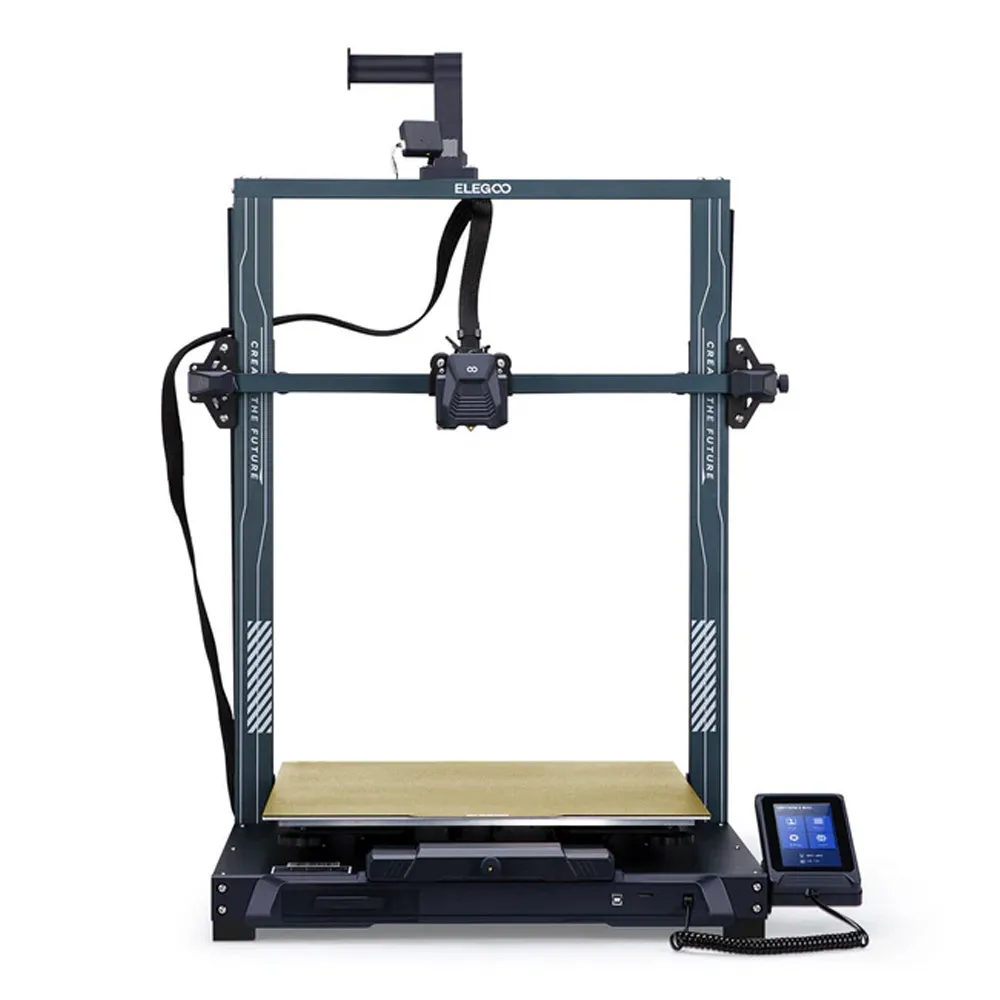
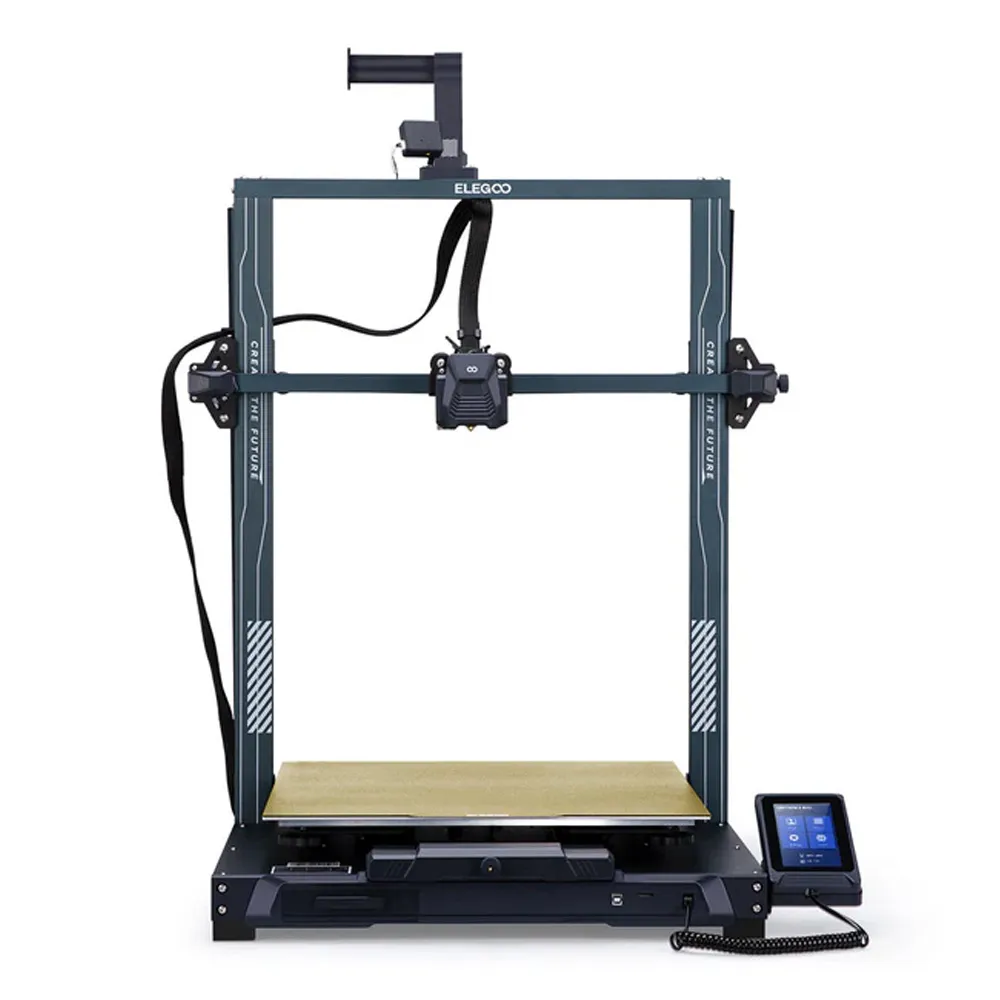
Neptune 3 max offers large-scale precise 3D printing with auto-leveling and quiet operation
Pricing
| MRP (list) | ₹0 |
|---|---|
| Discount | 0% |
| Offer price (rounded) | ₹0 |
| You save vs MRP | — |
Offer = MRP × (1 − discount%), rounded to whole rupees. Confirm on Teethment before purchase.
Features
Massive Build Volume: 420 x 420 x 500 mm for printing large models or multiple objects simultaneously.
Dual-Gear Direct Drive Extruder: SUS303 stainless steel gears with adjustable extrusion force for smoother filament feeding.
Auto Bed Leveling: 63-point high-precision sensor scanning to compensate for hotbed inconsistencies.
Quiet Operation: STM 32-bit silent motherboard with stepper motors keeps noise levels below 50 dB.
PEI Magnetic Platform: Ensures strong adhesion, anti-warping, and easy model removal.
Stable Z-Axis Movement: Dual lead screws and dual-motor drive provide precise, stable movement.
Removable Touchscreen: 4.3-inch magnetic touchscreen with print preview and multi-language support.
Details
Elegoo Neptune 3 Max FDM 3D Printer is an ideal choice for dental professionals seeking a reliable and versatile tool for creating dental models, orthodontic appliances, and surgical guides. With its expansive build volume of 420x420x500 mm, it accommodates large dental arches or multiple models in one print run, enhancing productivity in dental labs. The dual-gear direct drive extruder ensures smooth and precise extrusion, making it suitable for printing intricate dental structures with various materials like PLA, ABS, PETG, and flexible TPU for soft tissue simulations. The auto bed leveling system, scanning 63 points, guarantees consistent print quality even on uneven surfaces, while the quiet operation below 50 dB provides a conducive work environment. The PEI magnetic platform offers strong adhesion, minimizing the risk of print failures, and easy model removal. The 4.3-inch removable touchscreen simplifies the printing process, allowing effortless control and monitoring for dental professionals.
Key specifications
Build Volume: 420 x 420 x 500 mm (16.53 x 16.53 x 19.68 inches)
Extruder Type: Dual-gear direct drive with SUS303 stainless steel gears
Filament Compatibility: PLA, PETG, ABS, TPU
Extrusion Ratio: 3:1 reduction
Auto Bed Leveling: 63-point high-precision sensor scanning
Manual Leveling: Auxiliary leveling with hand-twist knobs
Z-Axis Stability: Dual lead screws and dual-motor drive
Packaging
1 x Neptune 3 Max FDM 3D Printer
Directions for use
Unboxing and Setup:
Carefully unpack the printer and all its components.
Assemble the printer according to the included manual, ensuring all parts are securely connected.
Platform Leveling:
Turn on the printer and initiate the auto bed leveling process. The high-precision sensor will scan 63 points on the hotbed.
Use the auxiliary leveling knobs to manually fine-tune the platform for an optimal first layer.
Loading Filament:
Preheat the extruder to the recommended temperature for the chosen filament (PLA, ABS, PETG, TPU).
Insert the filament into the extruder and use the touchscreen to feed it through until it comes out of the nozzle.
Preparing the Print File:
Use slicing software (e.g., Cura) to prepare your 3D model file and save it as a G-code file on a memory card or USB drive.
Insert the storage device into the printer.
Starting a Print:
Select the desired G-code file from the touchscreen interface.
Monitor the initial layer to ensure proper adhesion to the PEI magnetic platform.
Removing the Print:
After printing is complete, allow the hotbed to cool.
Gently bend the PEI magnetic platform to release the model.
Maintenance:
Regularly clean the nozzle, build platform, and extruder gears.
Lubricate the Z-axis lead screws and check for any loose bolts.
Storing Tools and Accessories:
Use the built-in drawer on the machine base to store tools like the Allen wrench and spare nozzles.
Warranty
Manufacturer/Importer warranty of 1 Year against manufacturing defect
Service and Warranty are handled by the manufacturer/importer directly for this product
Dentalkart will not be liable to replace the Products and the liability to replace any such Product is that of the Manufacturer/Importer
Dentalkart and the Buyer acknowledge that the Products purchased/used are a subject matter of original Manufacturer/Importer’s warranties only
Any or all claims in relation to returns and replacement shall be made to the concerned Manufacturer/Importer only and Dentalkart may assist the customer in registering a request to get the Product replaced or serviced.
The Buyer acknowledges that the Products once sold will not be exchanged or taken back unless the seal of the package or the Product is intact or not altered in any manner or is not tampered as the case may be.
Image